
Patient Portal Help and Information
Our Patient Portal
CommuniCare proudly provides a reliable, efficient, and secure patient portal through Healow. With Healow, you can access your health information online anytime, anywhere.
Below is the practice code for CommuniCare.
Practice Code: CADJCD
Don't have a Healow account? Enroll today.
Contact Us
(210) 233-7067
Healow's Help Center
patientinquiry@communicaresa.org
Frequently Asked Questions
Getting Started
With healow® you can:
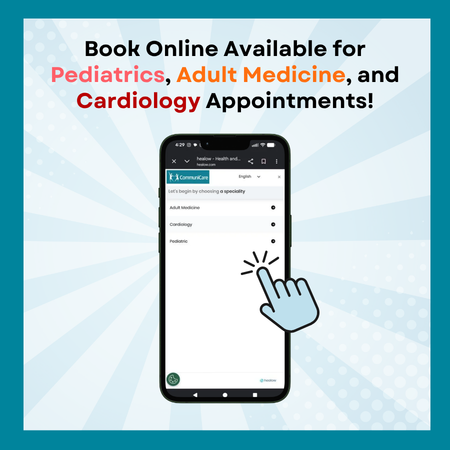
- Request appointments or schedule appointments directly online
- Access your health records
- View test results
- Request prescription refills
- Communicate electronically and securely with your medical care team
- Pay your bill online
- Check-in online before your appointment
Patients can sign up online.
- Download the healow® mobile app or go to healow® website.
- In the "View Your Health Records" tab, locate your doctor’s office by entering the clinic's Practice Code or phone number. Click "Search."
- Select your practice from the list and enter your unique username and password that was e-mailed to you. Usernames and passwords are case-sensitive.
- Validate your identity by entering your date of birth OR phone number and click "Next." After validation, you must create a new password to replace the temporary password.
- Enter your new password 2 times to confirm the password.
- Select your security question and answer, click "Agree."
- If you have read and accepted the terms in the Practice Consent Form, click "Agree." When your new password is confirmed, click "Log in."
- An active healow® account
- Access to the Internet by a computer, laptop, or mobile device like a tablet or smartphone
- An up-to-date browser (such as Chrome, Edge, or Safari) or the healow® mobile app


Your Account
Note – Linking accounts can only be done using the healow® app, available in the Apple Store and Google Play.
- In the app, click “Get Started,” and then enter this Practice Code: C A D J C D.
- Log in with YOUR username and password.
- Click your profile picture icon in the top left, then select “Link Another Account.”
- Follow steps 2 and 3 with your family member’s information.
- On the following page, you must agree that you have the legal right and permission to view this family member’s health information.
- You’re linked! Toggle between your and your family member’s health information by swiping on the center of the screen.
Family Member Accounts
Yes, you can. This is called proxy access.
For pediatric patients, a legal guardian/parent must turn in the proxy request to the child’s physician’s office; the office will review the proxy request and grant access. This allows a parent or guardian to log into their personal healow® account, and then connect to information regarding their dependent. Complete a Proxy Consent Form and return it to your physician’s office to request access to this convenient service.
Adults can invite other adults to have proxy access to their healow® account and can choose between read-only access or access to send messages and schedule appointments.
Each adult must establish their own healow® account.
No one can view your information unless you invite your spouse to a read-only view or viewing, scheduling, and messaging access to your healow® account.
There are 2 different types of access: Scheduling and messaging access, and read-only access.
Managing Care
Security & Privacy
Healow® is owned and operated by eClinicalWorks and is fully compliant with federal and state laws pertaining to your privacy. Your name and e-mail address will be treated with the same care and privacy given your health records and will never be sold or leased by healow®.
Read the full privacy policy here.